
Create application
Applications are registered entities within Mercado Pago that act as a unique identifier for managing the authentication and authorization of your integrations. In other words, they serve as the link between your development and Mercado Pago, and they constitute the first stage in carrying out the integration.
With them, you can access the necessary credentialsCredentials to interact with our APIs or specific services, as well as manage and organize your integration, which is why you must create an application for each Mercado Pago solution you integrate.
To create an application, follow the steps below.
- In the upper right corner of Mercado Pago Developers, click on Login and enter the required information with the data for your Mercado Pago account.
- Once you are logged in, in the upper right corner of Mercado Pago Developers, click on Create application if your account does not yet have any created applications, or go to "Your integrations" and select View all. There, click on Create application.
- Once inside Your integrations, click on the Create application button.

- Enter a name to identify your application. The limit is up to 50 alphanumeric characters.
- Select In-person payments as the type of payment you want to integrate, as this is the solution type corresponding to physical stores. Click Continue.
- Next, choose Mercado Pago Point as the payment type you want to integrate and click the Continue button.
- Confirm the selected options. If you need to modify any selection, click the Edit button. Accept the Privacy Statement and the Terms and Conditions and click Confirm.

In Your integration, you will be able to view the list of all your created applications and access the Integration data for each of them.
Access test credentials
After creating your application, the test credentialsCredentials will be created automatically. You must use them to perform all necessary configurations and validations in a secure testing environment. If you are using an existing application, you will need to activate the test credentials.
When accessing test credentials, the following credential pairs will be displayed: Public Key and Access Token for testing. The test Access Token starts with the prefix APP_USR, just like your production Access Token.
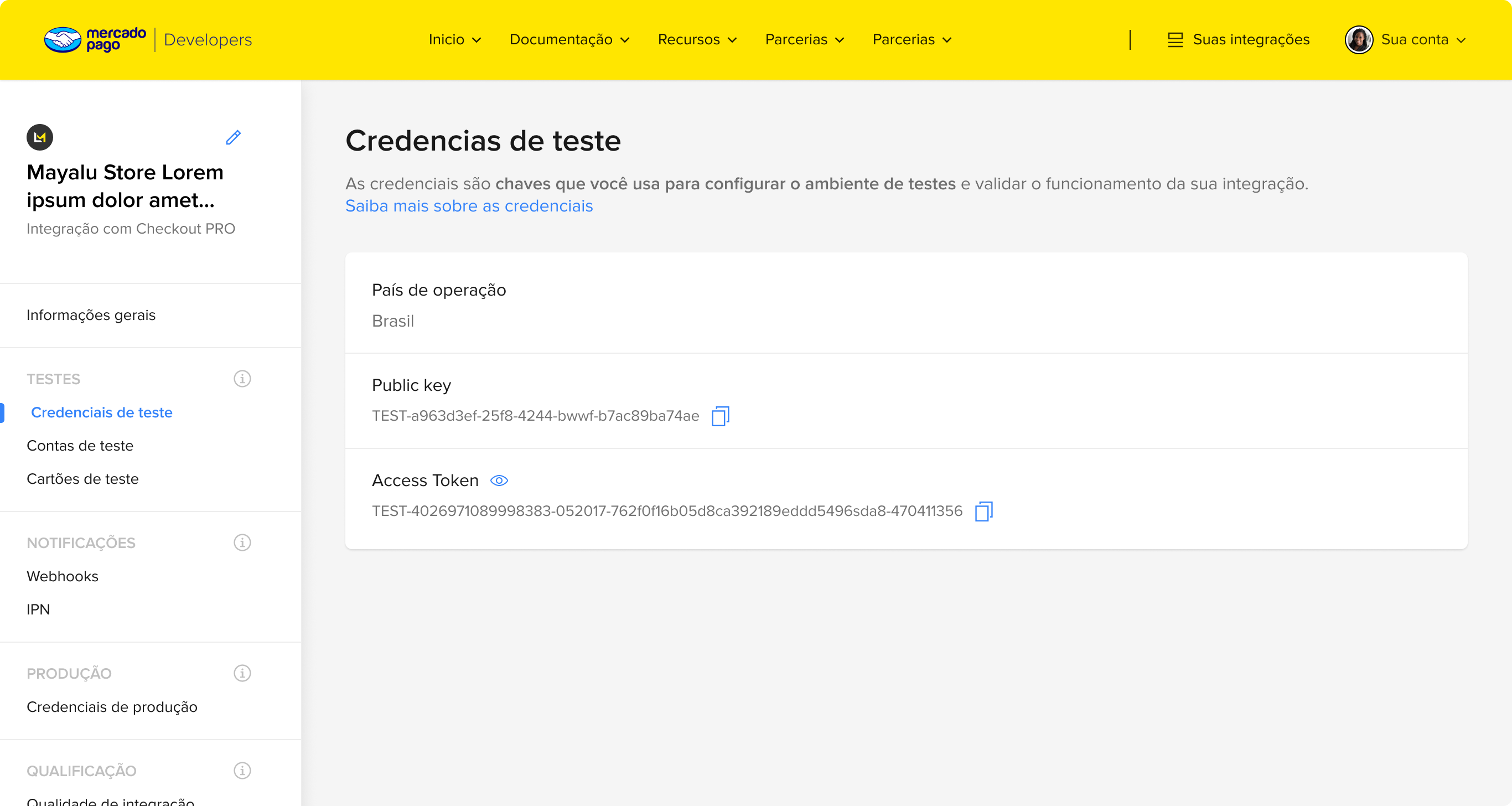
To develop your integration with Mercado Pago Point, use your test Access Token.
After obtaining the necessary credentials, you can proceed with the terminal configuration.