
AI resources
Integrate the Bricks modules and create a customized checkout
Offer payments through a checkout with a modular and flexible interface.
For the main e-commerces
Agile integration
Optimized conversion
Pre-built experience
What it offers
Combine different functionalities to ensure security and conversion of operations.
- Choose a predefined visual theme or customize it according to your business identity.
- Integrate only the necessary Brick, without the obligation to implement the entire checkout process.
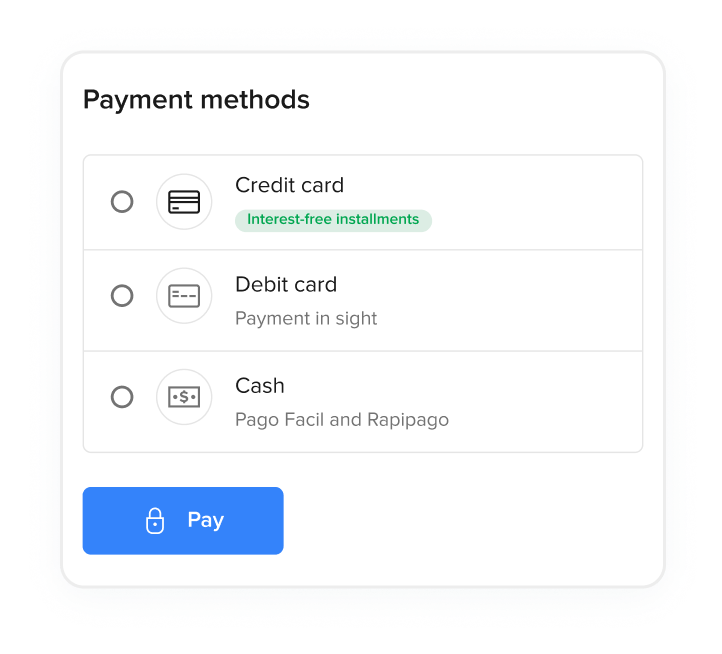
- Combinable and customizable payment methods.
- Gain agility by using a pre-built experience, which already includes ready-to-use integrations and validations, reducing technical risks.
- Fast checkout with payment methods saved in Mercado Pago.
- Offers a purchase process with few steps and easy to complete.
- Components that apply the market’s best practices.
- 3DS 2.0 authentication, anti-fraud tools and customer identity verification.
- Processes card purchases securely and without bureaucracy, allowing for simplified PCI certification.
Customization
Pre-built experience
Conversion
Payment approval and security
What makes it differentCompare our checkouts and choose which one best suits your business. Check the fees.
You are here
Checkout BricksGo to summary
Checkout ProGo to summary
Integration effort
Integration effort
Integration effort
Integration effort
Customization level
Customization level
Customization level
Customization level
Ready-to-configure design
Ready-to-configure design
Ready-to-configure design
-
Ready-to-configure design
Payment experience
Payment experience
On your sitePayment experience
On your sitePayment experience
On Mercado PagoPayment methods
Payment methods
Credit or debit card, Rapipago, Pago Fácil, Mercado Pago Wallet and Installments without Card Payment methods
Credit or debit card, Rapipago and Pago Fácil Payment methods
Credit or debit card, Rapipago, Pago Fácil, Mercado Pago Wallet and Installments without CardCountry availability
Country availability
AR
BR
CL
CO
MX
PE
UY
Country availability
AR
BR
CL
CO
MX
PE
UY
Country availability
AR
BR
CL
CO
MX
PE
UY
Available BricksChoose the Brick that best meets your needs and follow the detailed steps in the section corresponding to the chosen Brick.
Payment BrickHow to integrate
Status Screen BrickHow to integrate
Wallet BrickHow to integrate
Card Payment BrickHow to integrate
Brand BrickHow to integrate
Description
Description
Integrate multiple payment methods into a customizable module, even saving card data to speed up future purchases. Description
Inform the buyer about the status of a purchase made with any payment method from Checkout Bricks. Description
Button that allows paying with Mercado Pago account at any stage of the purchase. Description
Optimized payment form that includes the necessary fields to process payments with credit or debit cards. Description
Presents buyers with the main advantages and facilities, highlighting payment methods via Mercado Pago. How to integrate
Learn about the necessary steps to integrate this solution.
Prerequisites
- Seller accountYou need to create a user in Mercado Pago (or Mercado Libre) to have a seller account.
- SSL Certificate (Secure Sockets Layer)Allows secure navigation and protection of your data during information transfers.
Integration process
- Check all prerequisites.
- Configure the common initialization for all Bricks.
- Choose the Brick you will integrate.
- Configure and render the Brick according to the specific documentation.
- Perform test purchase.
- Go to production.
flowchart TD
    A[Check prerequisites] --> B[Configure common initialization]
    B --> C[Choose Brick]
    C --> D[Configure and render Brick]
    D --> E[Perform test purchase]
    E --> F{Test approved?}
    F -- No --> G[Fix configuration] --> E
    F -- Yes --> H[Go to production]