
Install the plugin
The Mercado Pago plugin is available for the Claude Code and Codex AI agents. Follow the steps below to install it, authenticate your account, and verify that everything is set up correctly.
In the tabs below, choose the AI agent that best fits your project and follow the steps to get started.
The plugin can be installed from the terminal or directly from the Claude Code interface.
Install from the terminal
Run the following command:
bashclaude plugin install mercadopago@claude-plugins-official
Claude Code downloads and installs the plugin automatically. No restart is required to confirm the operation completed.
Install from the Claude Code interface
Follow the steps:
- Open your Claude Code account and go to the Customize section in the right side menu.
- Go to the Extensions menu and select Explore extensions.
- In the Partners tab, search for Mercado Pago.
- Click the plus (+) icon.
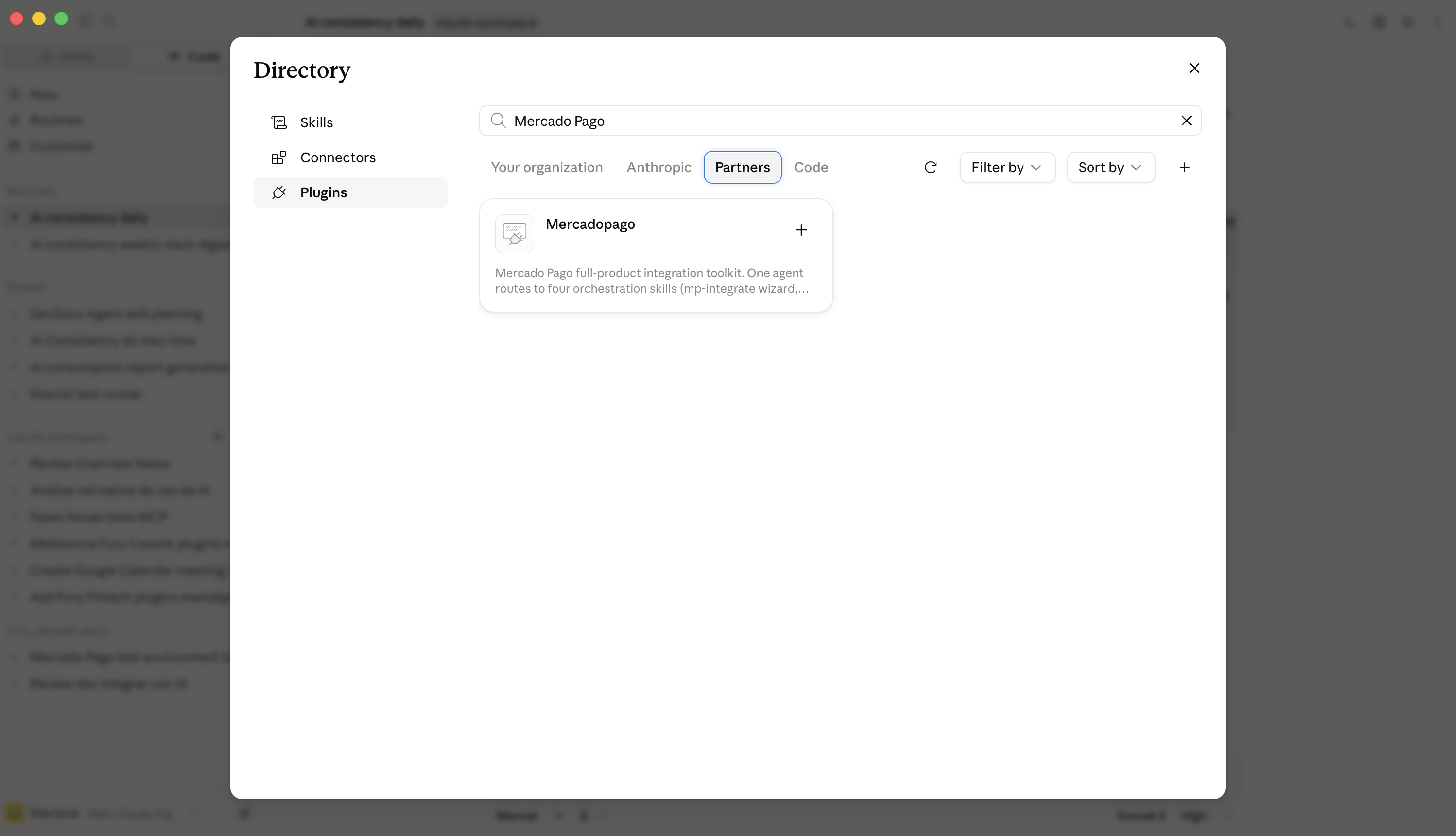
The plugin is available immediately in all conversations.
To enable some plugin functions and let it communicate in real time with your applicationEntity registered in Mercado Pago that acts as an identifier for managing your integrations. and your development environment, you need to authenticate.
If you prefer to use the plugin without account authentication, you can skip to the Verify the installation section.
Start the authentication flow by running the command:
plain/mp-connect
The plugin opens your system's default browser with the Mercado Pago authorization page. Log in with your account and authorize the connection to the plugin. After completing the authorization, return to your AI agent session and the additional functions become available immediately.
The session remains active with the AI agent until you manually end it. If you already have a connected account when you run /mp-connect, the plugin checks the current state and reports without starting a new authentication flow.
To confirm that the plugin is ready to use, follow the steps below:
- Run the following command in any AI agent conversation:
text/mp-connect
- The plugin opens the Mercado Pago OAuth authentication flow in the browser. Complete the authentication, or if you want to confirm the installation without authentication, run one of the available commands:
text/mp-test-cards
In this case, the plugin returns the test cards available for your country.
- If any of the commands are not recognized, verify that the plugin is installed by running the command below.
bashclaude plugin list
The plugin should appear in the list as mercadopago@claude-plugins-official.